
Quick answer: The best budget gaming keyboards in 2026 don’t cost $200, you can get real mechanical switches, RGB lighting, and anti-ghosting for under $70. I carefully reviewed the specs, verified buyer reviews, and side-by-side comparisons to find which ones are actually worth your money.
When I first started researching gaming keyboards, I assumed a good one meant spending well over $100. That turned out to be wrong. After comparing specs, reading through hundreds of verified buyer reviews, and cross-checking what serious budget gaming keyboards actually deliver, I found that price says a lot less about performance than the marketing suggests.
What to Actually Look For in Budget Gaming Keyboards
The short version: mechanical switches, anti-ghosting, and solid build quality matter more than flashy marketing.
Based on what consistently comes up across reviews and spec sheets for budget gaming keyboards, a few things separate the good ones from the disappointing ones:
- Switch type: mechanical switches give tactile feedback and faster actuation than membrane keys; this is the single most-cited factor in buyer reviews when people say a keyboard “feels” better
- Anti-ghosting / N-key rollover: this lets multiple keys register at once, and it’s consistently flagged as the difference between smooth and laggy input during fast-paced games
- Build quality: cheap keyboards flexing or creaking within months is a recurring complaint in reviews of low-end options; better budget picks hold up noticeably longer
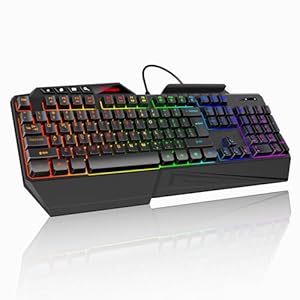
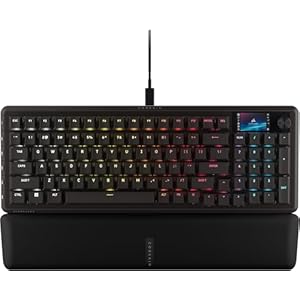
- Backlighting: not essential for performance, but it’s one of the most requested features, especially for anyone gaming in low light
Top Pick: Redragon K580 PRO Wireless RGB Gaming Keyboard
Based on its specs and buyer feedback, the Redragon K580 PRO stands out as one of the strongest budget gaming keyboards available right now.
It offers real mechanical switches (linear red), a hot-swap socket for changing switches later, a full-size 104-key layout, and dedicated media controls, all at around $65. Reviewers consistently highlight the build quality holding up well over extended use, which is a common weak point in this price range. The onboard macro recording also gets called out often as a standout feature at this price point, since macro support is usually reserved for pricier keyboards.
RGB Budget Gaming Keyboards: What’s Worth Paying For
RGB lighting shouldn’t be the main reason to buy a keyboard, but it’s a nice bonus when it’s done well without inflating the price.
Comparing budget RGB options, the better ones balance lighting customization against actual switch quality, a common complaint in reviews is paying extra for lighting effects on a keyboard with mediocre switches underneath. Look for software that supports saved custom profiles rather than just cycling through a handful of preset colors, since that’s where a lot of cheaper RGB keyboards cut corners.
Mechanical vs Membrane: What the Difference Actually Means
Membrane keyboards are cheaper because they use a rubber dome under each key, which feels mushier and has a slower response time than a mechanical switch. Mechanical keyboards use an individual switch per key, and the faster actuation is the most commonly cited reason gamers upgrade, according to reviews and comparison testing across the category. Budget-friendly mechanical brands with consistently solid reviews include Redragon and Cooler Master, both offer genuine mechanical switches without premium-brand pricing.
Quick Comparison: Budget Gaming Keyboards Worth Considering
| Keyboard | Switch Type | Price Range | Best For |
|---|---|---|---|
| Redragon K580 PRO | Mechanical (linear red), hot-swap | ~$65 | Best overall pick, wireless + macros |
| Budget membrane RGB options Redragon S101-3 PRO | Membrane | Under $30 | Casual gamers on a tight budget |
| Redragon/Cooler Master entry mechanical lines, Razer Ornata V3 Gaming Keyboard | Mechanical | $40-$60 | Anyone upgrading from membrane |
Frequently Asked Questions
What’s the best budget gaming keyboard in 2026?
Based on specs and buyer reviews, the Redragon K580 PRO is the strongest budget pick because it has the real mechanical switches, hot-swap sockets, and macro support for around $65.
Are mechanical keyboards worth it for budget gaming setups?
Yes. Mechanical switches offer faster actuation and better durability than membrane keyboards, and budget mechanical options now exist well under $70.
Do I need RGB lighting on a gaming keyboard?
No, it’s a nice extra, but switch quality and anti-ghosting matter far more for actual gameplay performance.
What should I avoid in a cheap gaming keyboard?
Avoid keyboards without anti-ghosting or N-key rollover, since reviewers consistently report missed or delayed inputs during fast-paced games on models that lack it.
Trending Products