To enhance the quality of your remote meetings, ensuring impeccable audio and video is paramount. By implementing strategic microphone placement, lighting adjustments, and soundproofing techniques, you elevate the professionalism and engagement levels of your virtual interactions. But what if there were additional factors beyond equipment setup and internet optimization that could further enhance the overall experience for both you and your meeting participants?
Equipment Setup
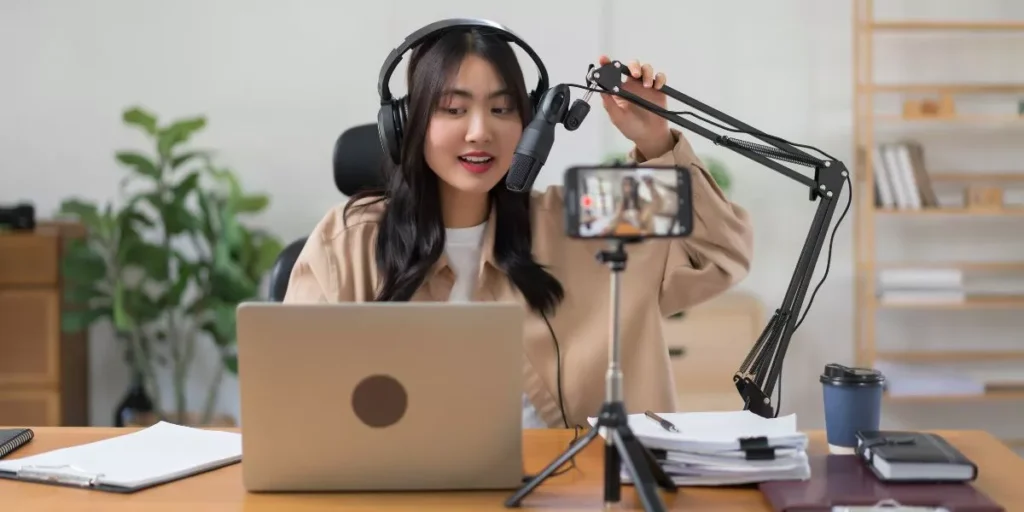
Optimize your office audio and video quality by ensuring your equipment setup is properly configured and positioned. Start by placing your microphone close to your mouth to ensure clear and crisp audio transmission. Adjust the microphone settings on your computer to pick up your voice effectively without capturing unnecessary background noise.
Position your camera at eye level to create a natural and engaging visual presence during virtual meetings.
When setting up your lighting, make sure to position it in front of you to avoid shadows on your face. Natural light is ideal, but if that’s not possible, invest in soft, diffused lighting to create a flattering and professional look. Consider using a ring light or a desk lamp with a white shade to enhance your visibility on camera.
Properly configuring your equipment setup is crucial for creating a professional and distraction-free virtual meeting environment. By following these tips, you can ensure that your audio and video quality are optimized, leading to more effective and engaging remote meetings.
Lighting Techniques
Position your lighting source strategically to enhance your on-camera visibility and minimize shadows on your face. Consider using natural light from a window in front of you or setting up soft, diffused artificial lights behind your screen. Avoid positioning the light source directly behind you, as it can create a harsh glare and make you appear dark. Experiment with different angles and intensities to find the most flattering lighting for your video calls.
Using a ring light or a desk lamp with a diffuser can also help illuminate your face evenly. Make sure the light isn’t too bright or too dim, as extreme lighting can be distracting or make it hard to see you clearly. Additionally, try to avoid mixing different light temperatures, as it can create a color dissonance on camera. By paying attention to your lighting setup, you can significantly improve the quality of your video meetings and ensure that you look professional and well-lit to your colleagues.
Soundproofing Tips
Consider improving your remote meeting audio quality by implementing effective soundproofing tips in your workspace. Soundproofing can help reduce background noise, echoes, and distractions during your virtual meetings.
To start, consider using thick curtains, carpets, or soundproofing panels to absorb and dampen sound within your room. These materials can help minimize external noises from entering your space and prevent sound from bouncing off hard surfaces, leading to a clearer audio experience for all meeting participants.
Additionally, sealing any gaps or cracks in windows, doors, and walls can further enhance soundproofing by blocking out unwanted noise from outside. Investing in a quality microphone with noise-canceling features can also significantly improve audio quality by focusing on capturing your voice while minimizing background disturbances.
Furthermore, positioning your microphone closer to your mouth and away from noisy appliances can help pick up your voice more clearly while reducing ambient sounds. By applying these soundproofing tips, you can create a more professional and distraction-free environment for your remote meetings.
Internet Connection Optimization
To ensure smooth and uninterrupted remote meetings, prioritizing the optimization of your internet connection is key. Start by positioning your device as close to your Wi-Fi router as possible. This proximity helps in maintaining a strong and stable connection.
Additionally, minimizing the number of devices connected to the same network during your meetings can prevent bandwidth congestion. Consider investing in a high-speed internet plan to support the demands of video conferencing.
Ethernet connections tend to be more reliable than Wi-Fi, so if feasible, use an Ethernet cable to directly connect your device to the router. Regularly updating your router’s firmware and keeping your internet browser up to date can also enhance your connection’s performance.
Furthermore, closing unnecessary background applications and browser tabs can free up bandwidth for your meeting, improving overall audio and video quality. Prioritizing internet connection optimization will significantly contribute to the success of your remote meetings.
Trending Products